 SafePhone
How to Block Calls From Numbers Not in Your Contacts: Stop 100% of Unknown Callers Without a Blacklist
Scammers switch numbers constantly, so no matter how many you block, a new one always gets through. The most thorough fix is to block calls from numbers not in your contacts: only people you've saved — plus banks and government agencies — can reach you, and every other unknown number is blocked before your phone even rings. This mode is especially well suited to elderly parents and children.
Block calls from non-contacts with SafePhone

Why isn't blacklist blocking enough?
Blocking unknown and scam numbers with a blacklist works well for numbers that have already been reported, but it has limits:
- It can't keep up with brand-new unknown numbers
- Spammers change phone numbers all the time
- Managing and updating the list takes time
- Nuisance calls that haven't made it onto the blacklist slip through
Blocking non-contact calls takes the opposite approach: instead of listing the numbers to block, you only list the numbers allowed to call. As a result:
- Every unknown number is blocked immediately, including ones created minutes ago
- There's no block list to update by hand
- Your risk of nuisance calls and phone scams drops to a minimum
Can Android's built-in settings do this?
The Phone app on Android and Samsung devices usually only lets you block individual numbers you add yourself, or block private (hidden) numbers. It can't block unknown numbers that show caller ID — and most scam calls display a perfectly normal number.
Do Not Disturb has an option to allow calls only from contacts, but it only silences calls rather than blocking them, and it also mutes notifications from every other app — not something you'd want on all day.
How to block non-contact calls with SafePhone
- Open the SafePhone app. If you don't have it yet, get SafePhone on Google Play.
- Tap the row of shield icons.
- Select “Only receive calls from saved numbers”.
- Tap “Grant permission” — a dialog will appear.
- Tap “Allow”.
- Make sure you've given SafePhone the call screening permission. If you haven't, follow the guide how to block unknown and scam numbers.
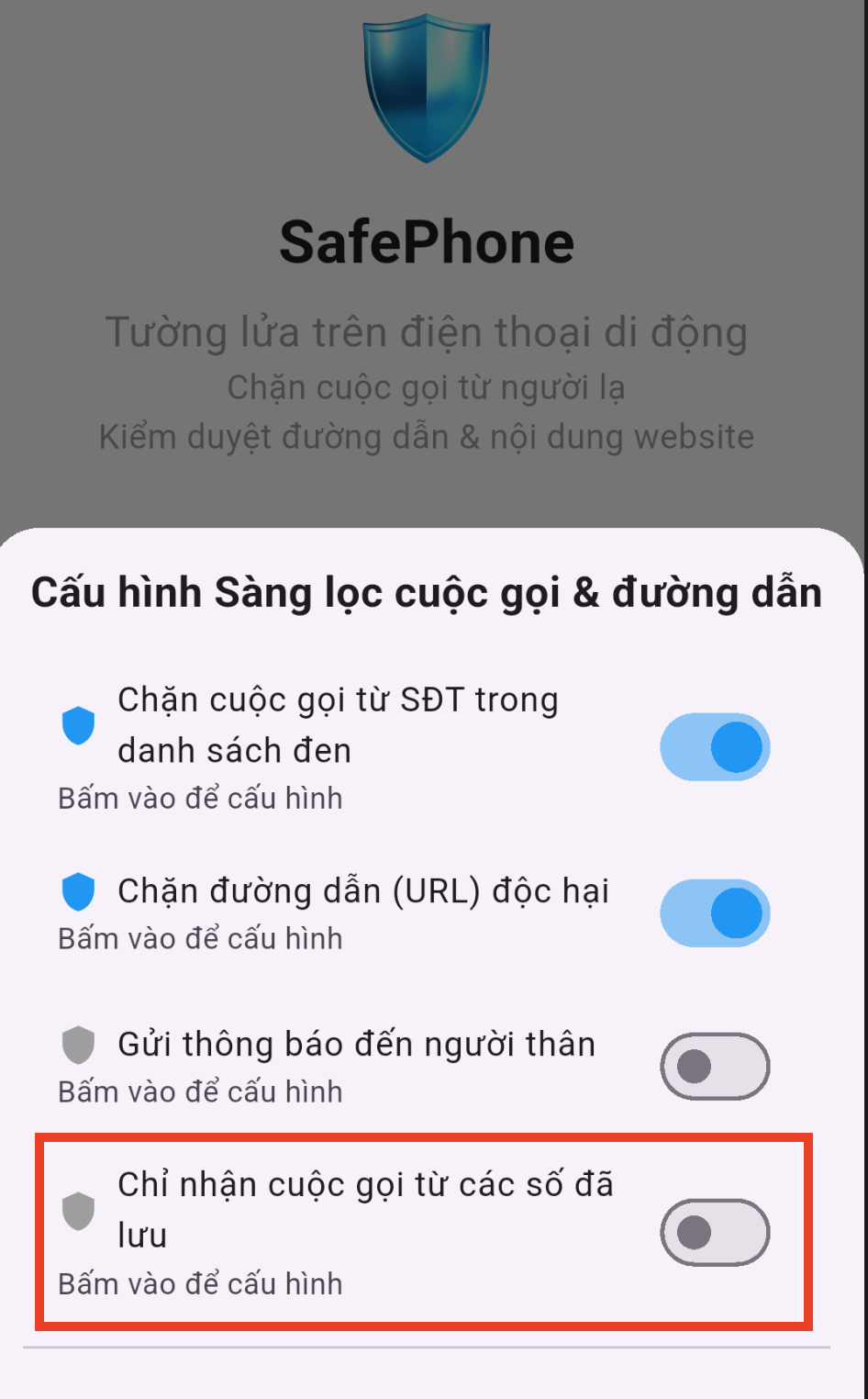
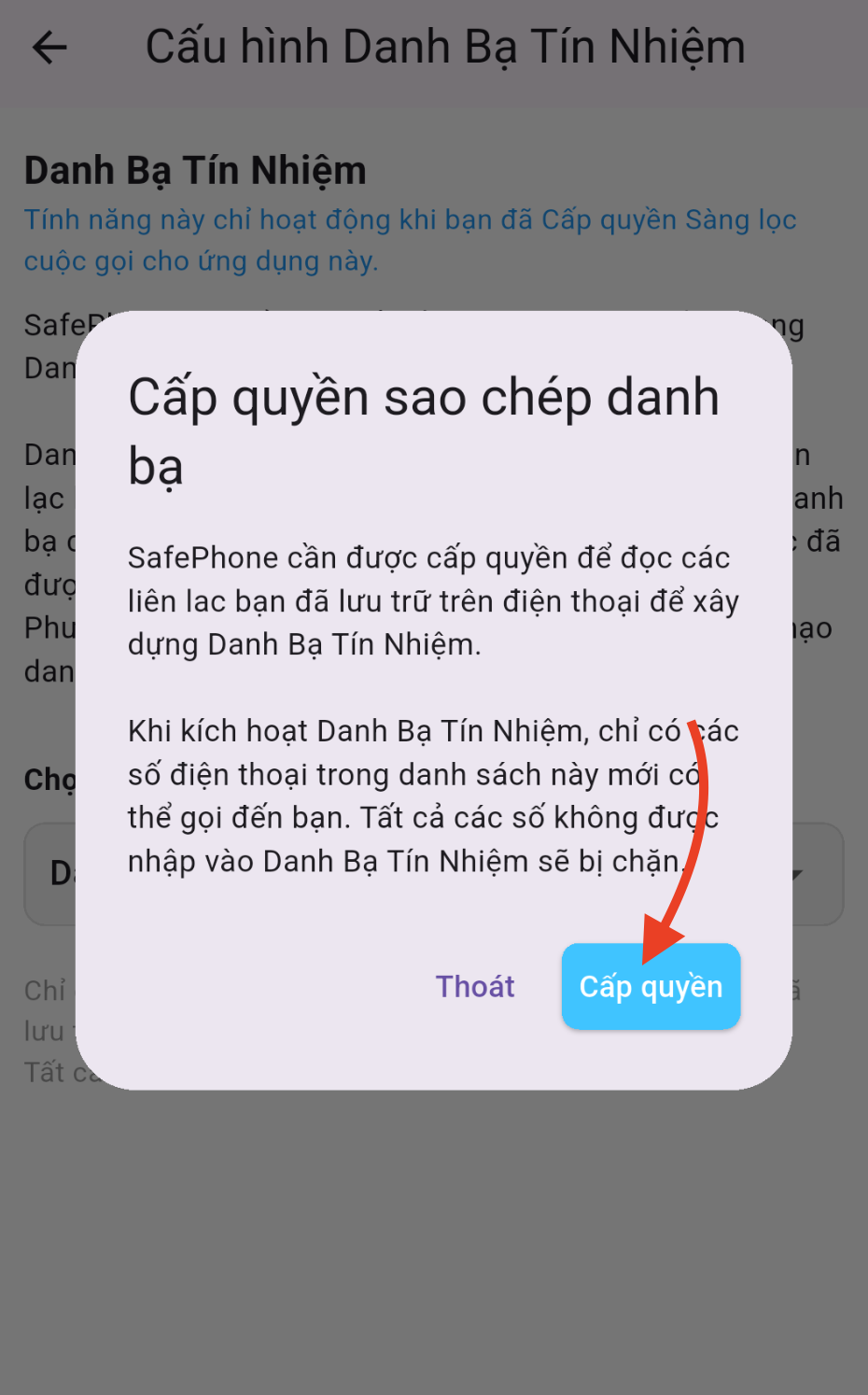
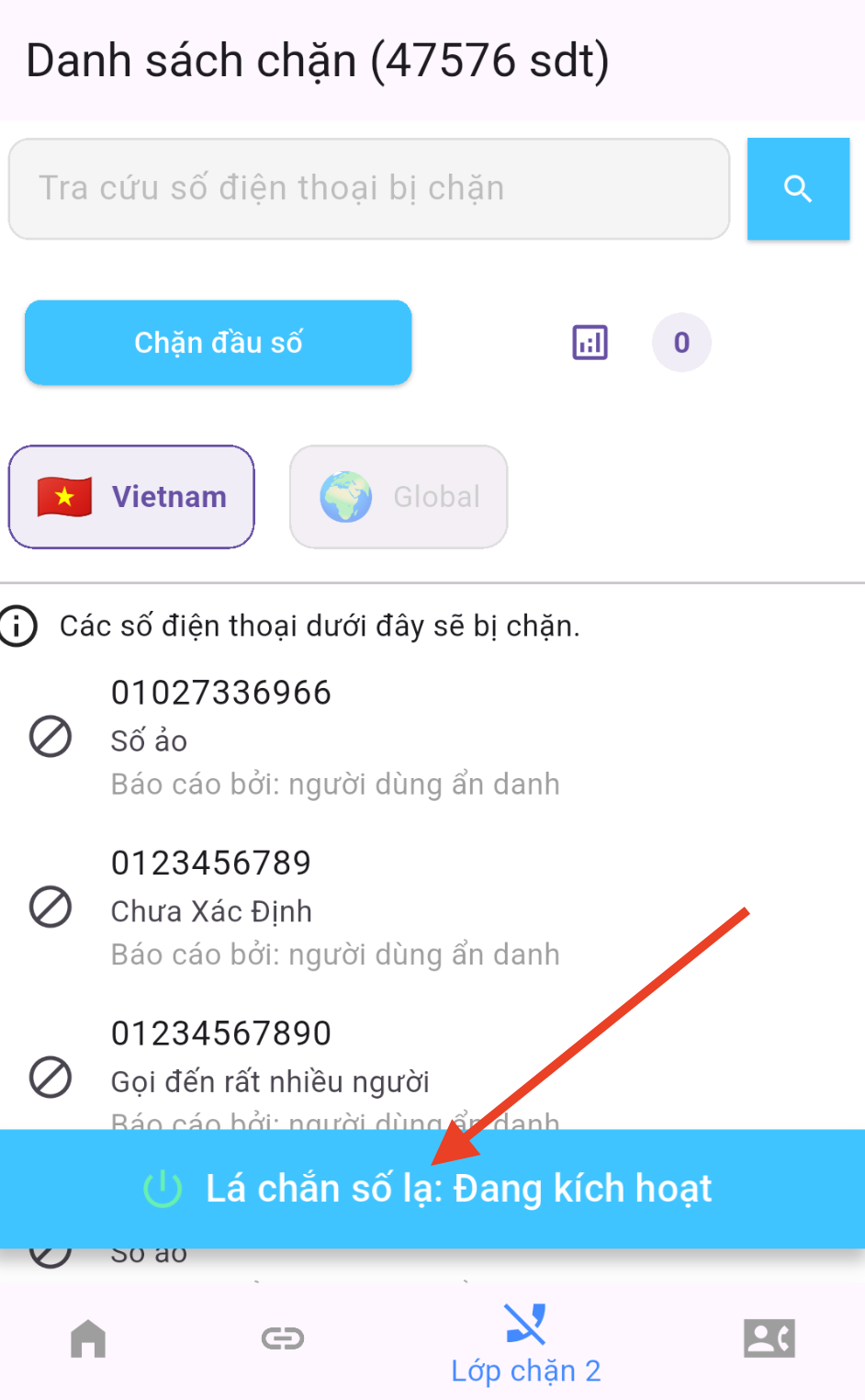
Once you tap Allow, the contacts saved on your phone are imported into SafePhone's trusted list. From then on, SafePhone only lets calls from numbers on the trusted list ring through — every other unknown number is blocked.
Will you miss calls from banks or government agencies?
No. Besides the numbers you've saved, SafePhone's trusted list comes preloaded with phone numbers for government agencies, organizations, public services, banks, and companies that scammers often impersonate, such as electricity, telecom, and travel companies.
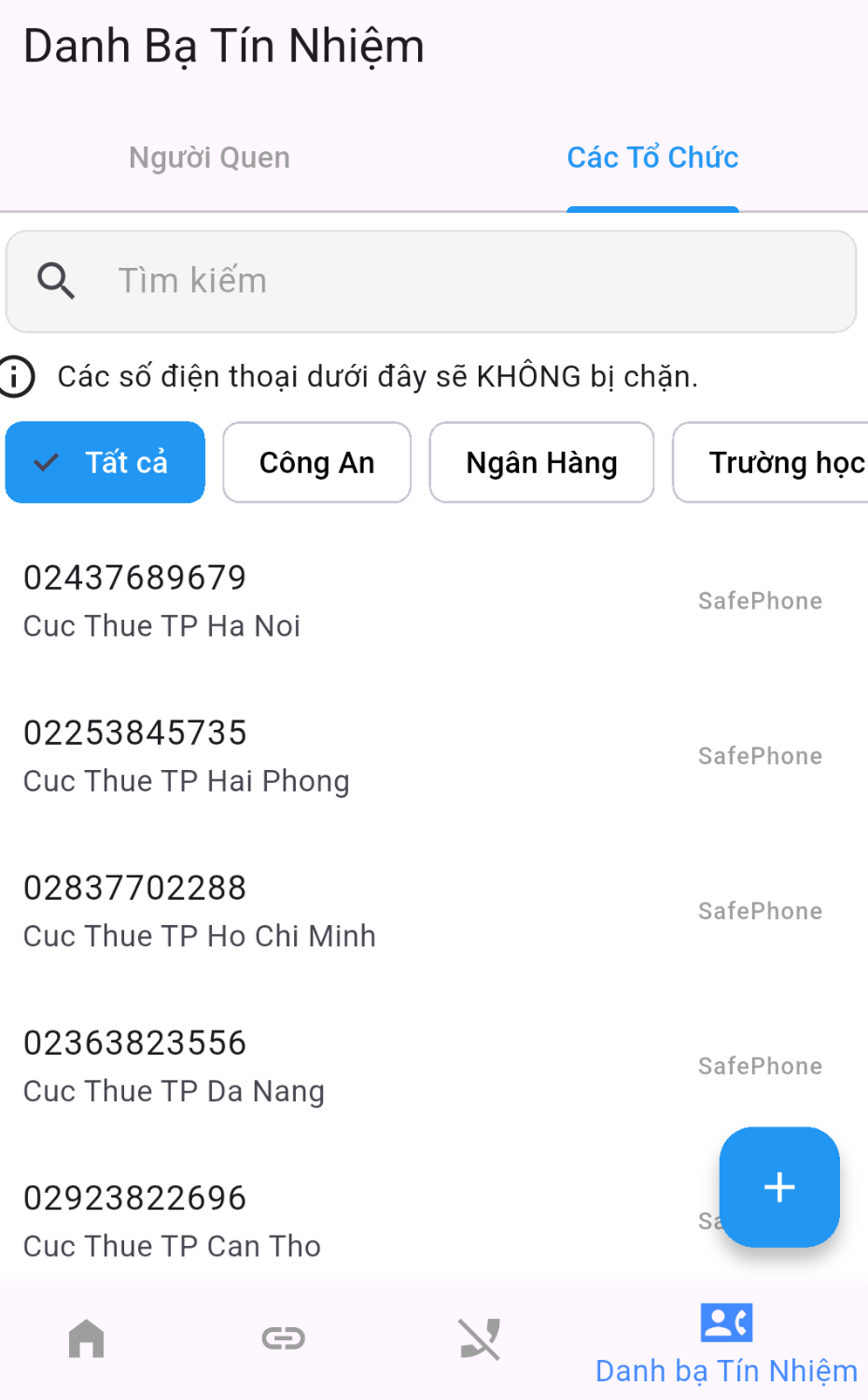
This matters because scammers typically impersonate exactly these organizations. When your parents get a call from an unknown number claiming to be “the electricity company” or “the bank,” that call is blocked — while the real hotline still gets through as usual.
Who should use non-contact call blocking?
- Elderly parents: the group most easily fooled by callers posing as the police or a bank. Accepting calls only from family and friends is the simplest protection. See also apps that help seniors use phones safely.
- Children with their own phone: keeps kids from talking to strangers. See apps to protect children on phones.
- People being harassed from many different numbers, such as debt collectors or nonstop spam.
Want to know right away when an unknown number tries to call a family member? Pair this with alerts when family members receive unknown calls.
Compared with other ways to block unknown numbers
| Blocking method | Legitimate unknown numbers (delivery drivers…) | New scam numbers |
|---|---|---|
| Only allow calls from contacts (this article) | Blocked | Blocked |
| Scam number blacklist | Can still call | Blocked once reported |
| Block by number prefix | Can still call unless they match a rule | Blocked if they match a rule |
Conclusion
Blocking calls from numbers not in your contacts is the most thorough way to stop unknown callers: no tracking new scam numbers, no updating block lists. Thanks to the built-in trusted list, you still get calls from real banks and government agencies — while impersonators are blocked from the start.
Turn on contacts-only calling
FAQ
Will blocking non-contact calls also block banks and government agencies?
No. SafePhone comes with a built-in list of phone numbers for government agencies, organizations, public services, banks, and companies that scammers often impersonate — such as electricity, telecom, and travel companies — so these numbers can still reach you even if you haven't saved them.
Will calls from delivery drivers be blocked?
Yes, if the driver's number isn't in your contacts. Save the number before you expect the call. If you receive deliveries often, blacklist blocking or prefix blocking is a better fit.
How is blocking non-contact calls different from Do Not Disturb?
Do Not Disturb only silences calls and also mutes notifications from all your other apps. SafePhone blocks calls from unknown numbers outright before they ring, while all your other notifications keep working normally.
Should I turn this mode on for my parents' phone?
Yes. Older adults are the group most vulnerable to phone scams. Accepting calls only from contacts blocks every call from unknown numbers pretending to be the police or a bank, while children, grandchildren, and official hotlines can still get through.