 SafePhone
How to Block Calls by Prefix, Ending Digits or Number Pattern on Android
Do you keep getting marketing and telemarketing calls from numbers starting with the same area code, each time from a different number? Instead of blocking numbers one by one, you can block calls by prefix, by ending digits, or block a whole group of numbers that follow a pattern with a single rule. This guide explains the syntax and how to set it up on an Android phone with SafePhone.
Block calls by prefix or ending digits with SafePhone

When should you block calls by prefix?
Blocking with a blacklist or accepting calls only from your contacts are both useful, but each has its limits:
- A blacklist struggles to keep up when spam numbers change constantly; scammers can use a new number every day.
- Accepting calls only from contacts can make you miss important calls from numbers you haven't saved, such as a delivery driver or a clinic.
- Neither is flexible enough for suspicious numbers that share a common pattern.
In practice, many nuisance calls come from the same number range: telemarketing call centers use batches of landline numbers with the same prefix, for example, or numbers of unusual length. Blocking by number pattern lets you:
- Proactively block a whole group of suspicious numbers with one rule
- Spend less time updating a blacklist by hand
- Still receive calls from unknown numbers that don't match the rule, so you don't miss important calls
Prefix blocking works alongside automatic blocking of unknown and scam numbers; we recommend turning on both.
Rule syntax for blocking prefixes and ending digits
In SafePhone, each * stands for any single digit (0–9). A rule must have exactly as many characters as the phone number you want to block. Number length depends on your country's numbering format (mobile and landline numbers may also differ), so check how many digits the numbers you want to block have, for example by looking at them in your call log. The examples below use 10- and 11-digit numbers.
| To block | Rule | Example of a blocked number |
|---|---|---|
| 10-digit numbers starting with 555 | 555******* | 555 123 4567 |
| 11-digit numbers starting with 0123 | 0123******* | 0123 456 7890 |
| 10-digit numbers starting with 0900 | 0900****** | 0900 123 456 |
| 10-digit numbers ending in 888 | *******888 | 555 234 5888 |
| 10-digit numbers following a custom pattern | 55*5****8* | 552 512 3481 |
| Any 12-digit number | ************ | Numbers of unusual length |
A rule with fewer or more characters than the actual number won't match, so count your * characters carefully.
How to set up prefix blocking in SafePhone
- Open the SafePhone app. If you haven't installed it yet, get SafePhone on Google Play.
- Switch to the third tab.
- Tap “Block by prefix”.
- Add a new rule using the syntax above, for example
555*******to block every 10-digit number starting with 555. - Tap “Save”.
- Make sure you've granted SafePhone the call screening permission. If not, follow the steps in how to block unknown and scam numbers.
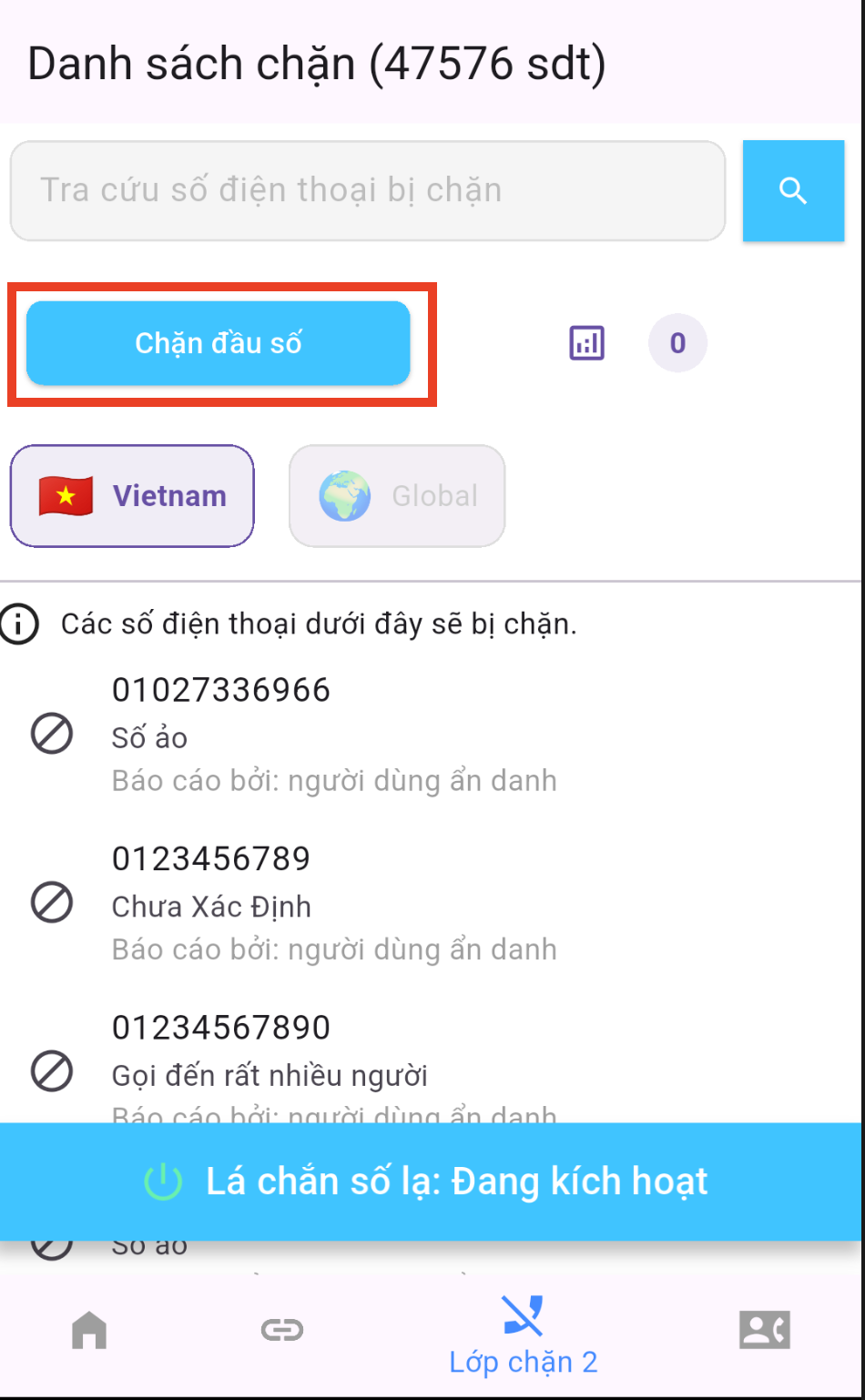
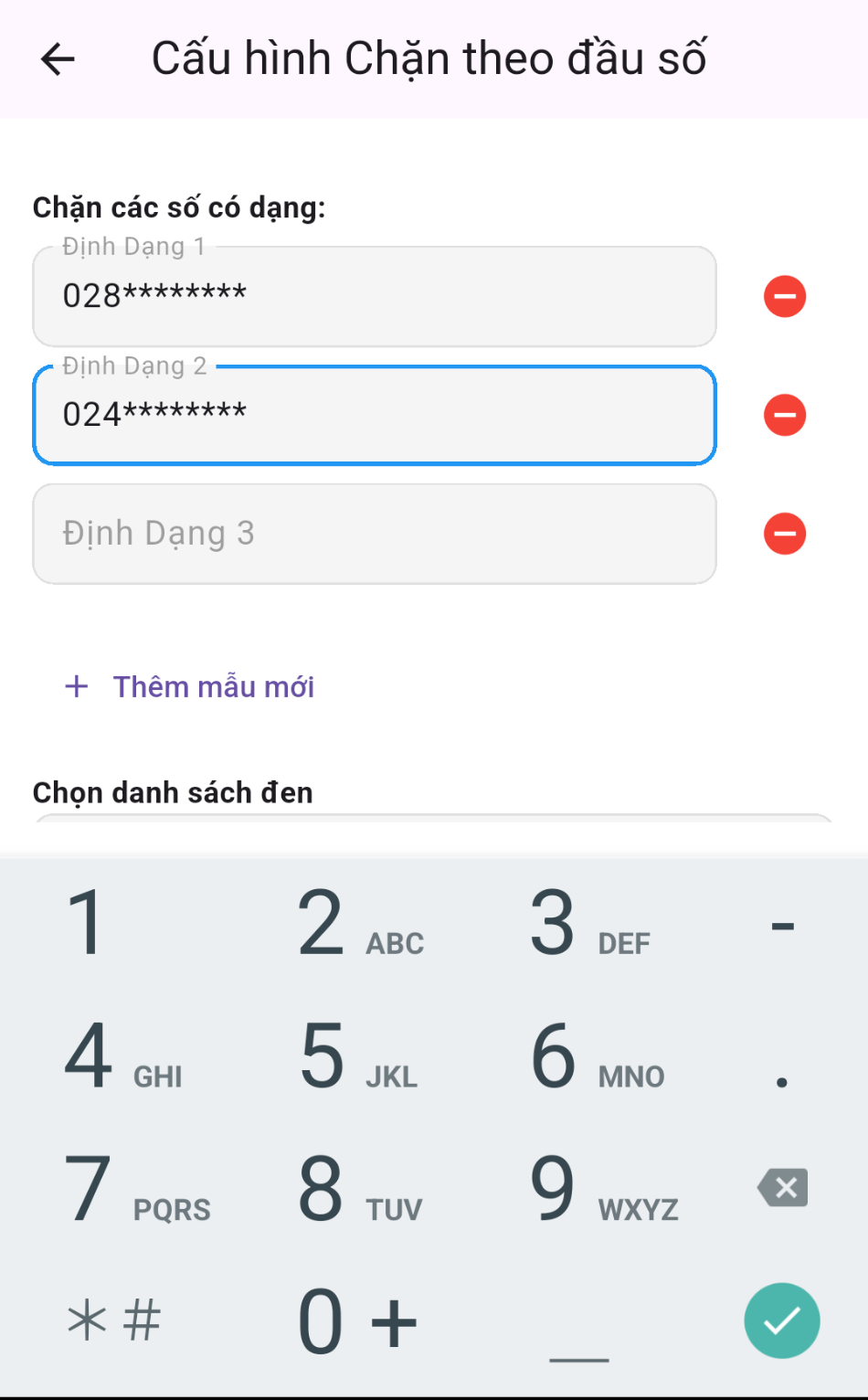
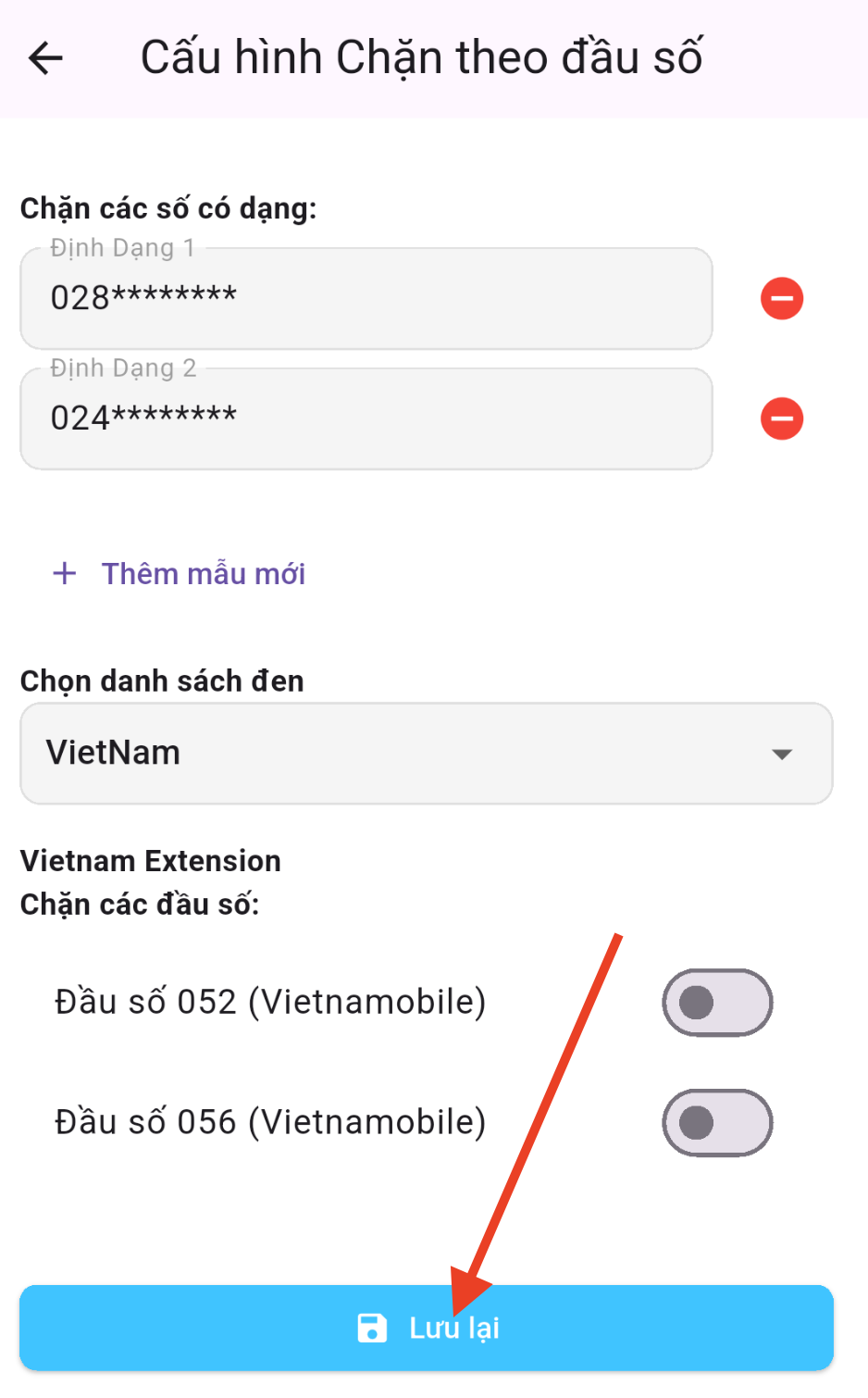
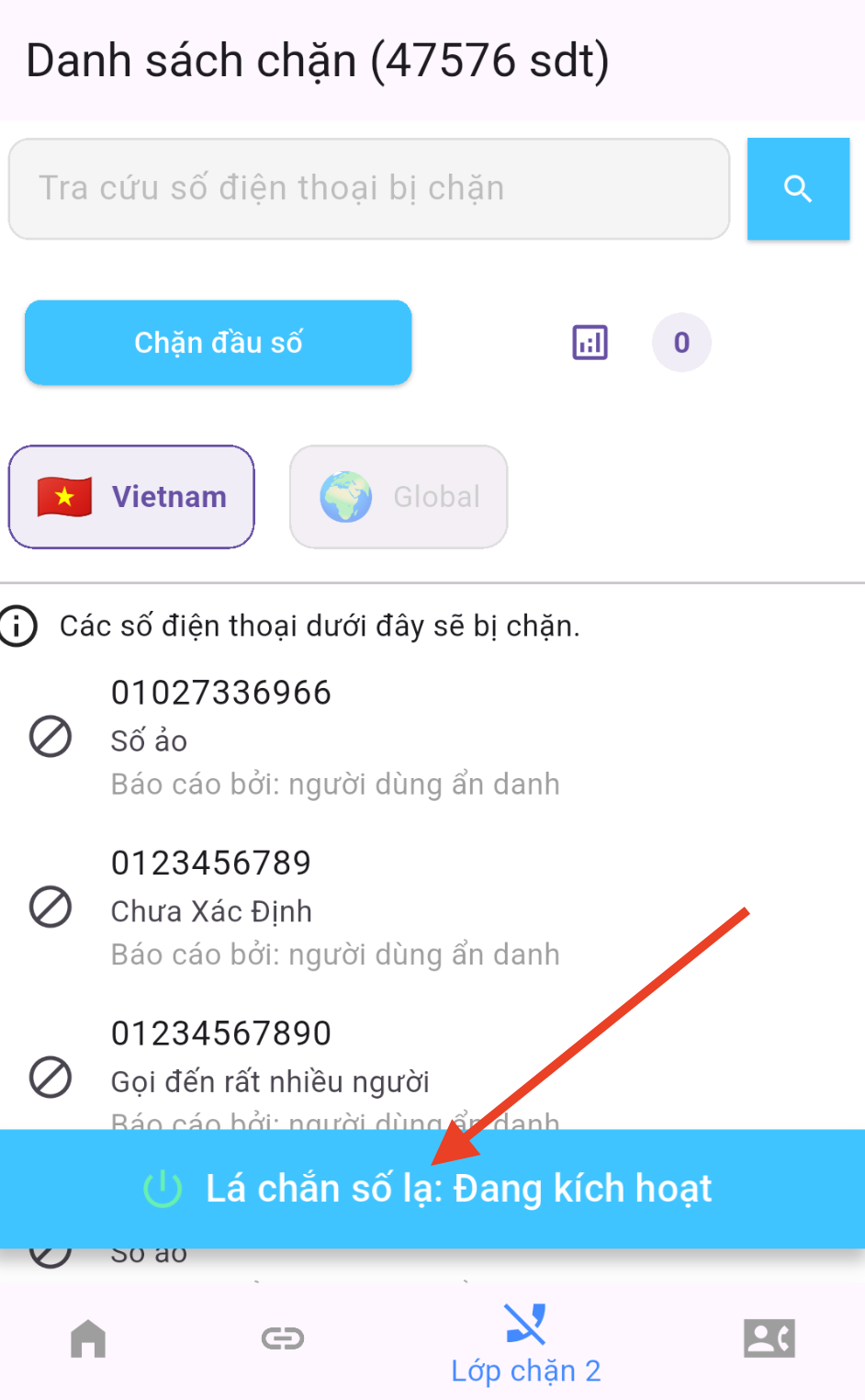
Once set up, SafePhone automatically filters incoming calls according to your rules: calls that match a rule are blocked before your phone rings.
Tips to avoid blocking important calls by mistake
- Don't block too broadly. A common mobile prefix is used by millions of people, including your family and friends. Only block an entire mobile prefix when you're really sure.
- Landline calls can be important too. Banks, hospitals and government agencies also call from landline numbers, including ones in area codes you might block. If you're expecting a call from one of them, temporarily turn the rule off.
- Check your call log. Now and then, review the list of blocked calls in your Phone app to make sure no important call was blocked by mistake.
- Combine several rules instead of one overly broad rule, for example blocking the exact ending digits or number range that keeps calling you.
For older parents or children, a safer option is to block calls from numbers not in your contacts: only people they know can get through, with no need to guess prefixes.
Conclusion
Prefix blocking is the fastest way to stop marketing and telemarketing calls coming from the same number range. Combined with a blacklist of scam numbers, you block both numbers that have already been reported and whole groups of newly appearing nuisance numbers.
Create your first prefix-blocking rule
FAQ
What does * mean in a prefix-blocking rule?
Each * stands for exactly one digit from 0 to 9. For example, the rule 555******* (3 digits followed by 7 asterisks) blocks every 10-digit number starting with 555.
Can blocking a whole area code block important calls by mistake?
It can. The rule blocks every number that matches the pattern, including banks, hospitals and businesses with numbers in that range. Check your blocked call log and temporarily turn the rule off when you're expecting an important call.
Does prefix blocking require the call screening permission?
Yes. SafePhone needs Android's call screening permission to check incoming numbers before they ring. Without it, prefix-blocking rules won't work.
Should I block by prefix or block numbers not in my contacts?
Blocking by prefix works well when you only want to get rid of one group of nuisance numbers while still receiving calls from other unknown numbers. Blocking numbers not in your contacts suits older parents and children, who only need calls from people they know.