 SafePhone
How to Protect Your Family From Scam Calls: Get Alerts When Parents or Kids Receive Unknown Calls
Elderly parents and young kids are often the ones who pick up when scammers call — and you only find out when it's too late. This guide shows you how to protect your family from scam calls with SafePhone: whenever a family member's phone receives a call from an unknown number, you get an alert on your own phone so you can call back and help in time.
Protect your parents and kids with SafePhone

Why are family members so easily scammed by phone?
Kids and older adults are the most vulnerable to scam calls from people posing as the police, bank staff, or electricity company employees. They often:
- Can't recognize a suspicious phone number
- Give out personal information or OTP codes when coaxed or threatened
- Don't tell their children or grandchildren in time to get help — many scripts even tell victims to “keep it secret”
Scammers are getting more sophisticated, even using AI to clone a loved one's voice. See Common scam tactics in 2026 to learn what scammers typically say.
Why blocking calls alone isn't enough
SafePhone can automatically block unknown and scam numbers or block all calls from numbers not in your contacts. But you won't always want to block everything — your parents still need calls from delivery drivers, clinics, and new acquaintances.
Alerts are a second layer of protection: the call still comes through, but you know right away so you can keep an eye on it and step in. Benefits:
- Get alerted instantly when a suspicious call comes in
- Monitor and support family members remotely
- Better chance of stopping phone scams before money is lost
- Build an open line of communication within your family
Before you start: create a Slack channel for your family
SafePhone sends alerts via Slack — a messaging app you can install for free on your phone. Before you begin, create a dedicated Slack channel for your family and get the channel ID and bot token by following Create a Slack channel for alerts (about 5 minutes, one-time setup).
How to turn on unknown-call alerts on a family member's phone
Follow these steps on your parent's or child's phone:
- Install SafePhone from Google Play and have your Slack channel ready as described above.
- Open SafePhone and tap the row of shield icons at the top.
- Tap “Send alerts to family”.
- Enter a device name that's easy to recognize, e.g. “Dad's phone” or “Timmy's tablet”.
- Choose “Send via Slack”.
- Paste the channel ID and bot token into the “Slack channel settings” section.
- Check the options under “Send an alert when”.
- Tap “Save”.
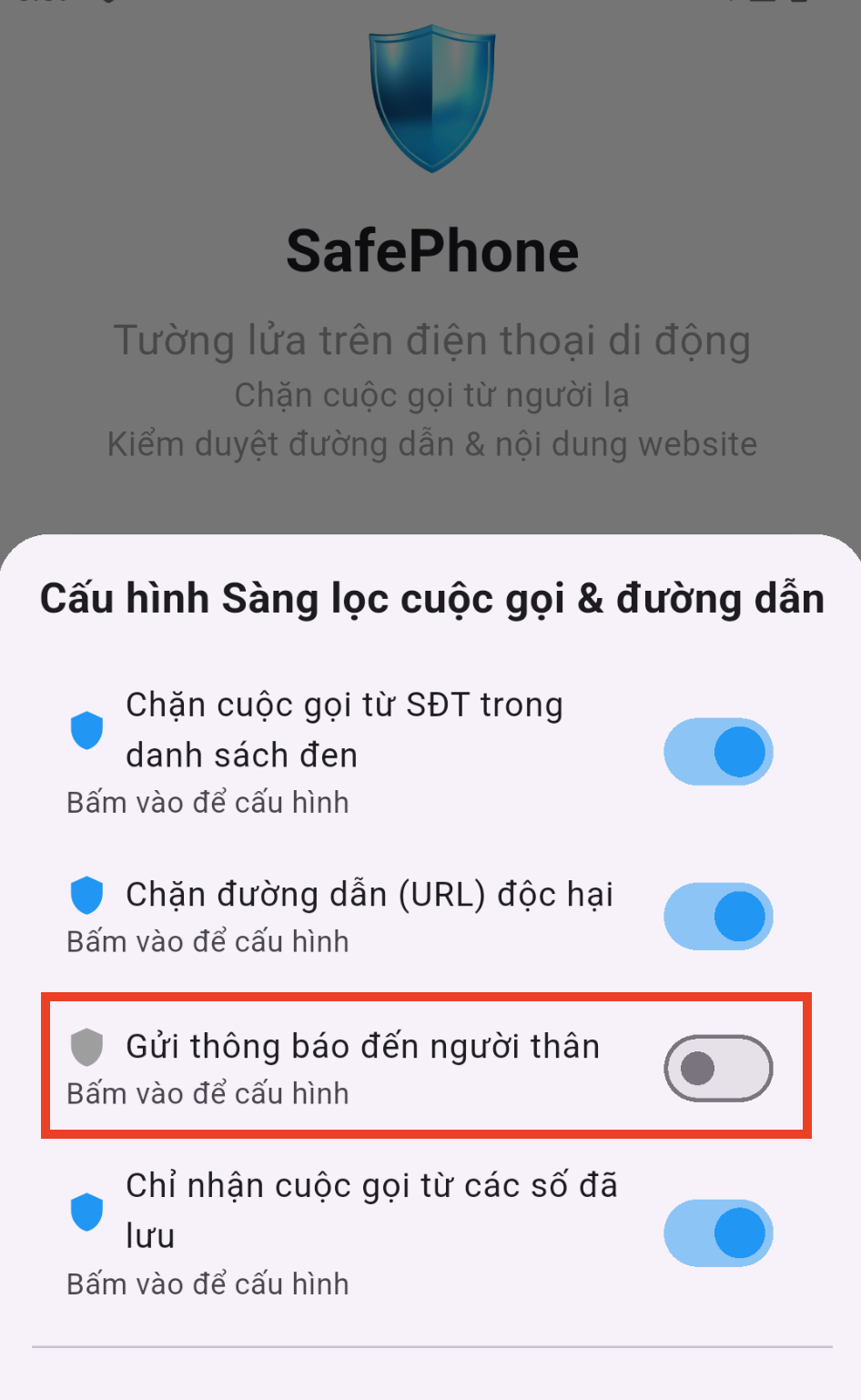
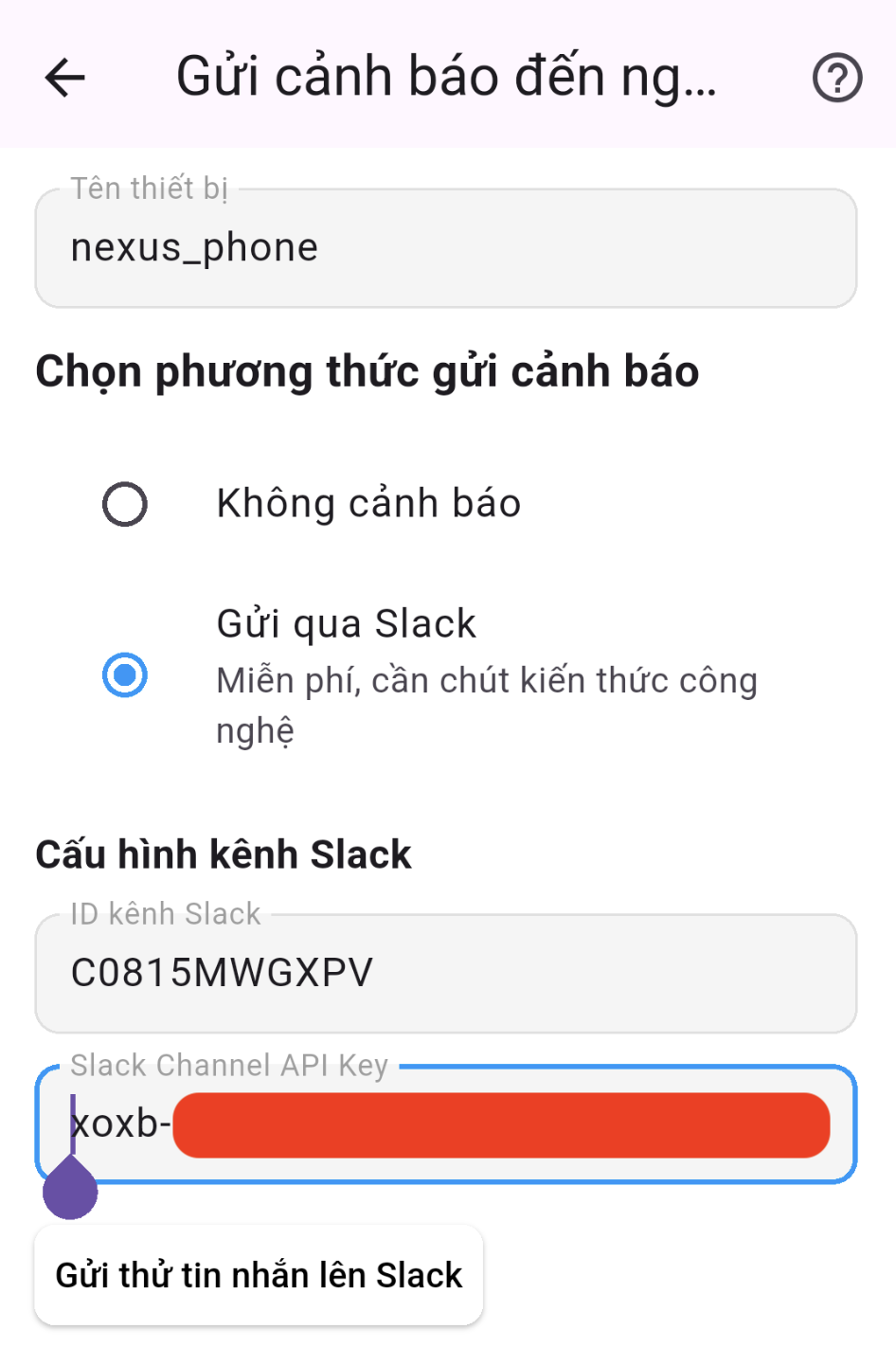
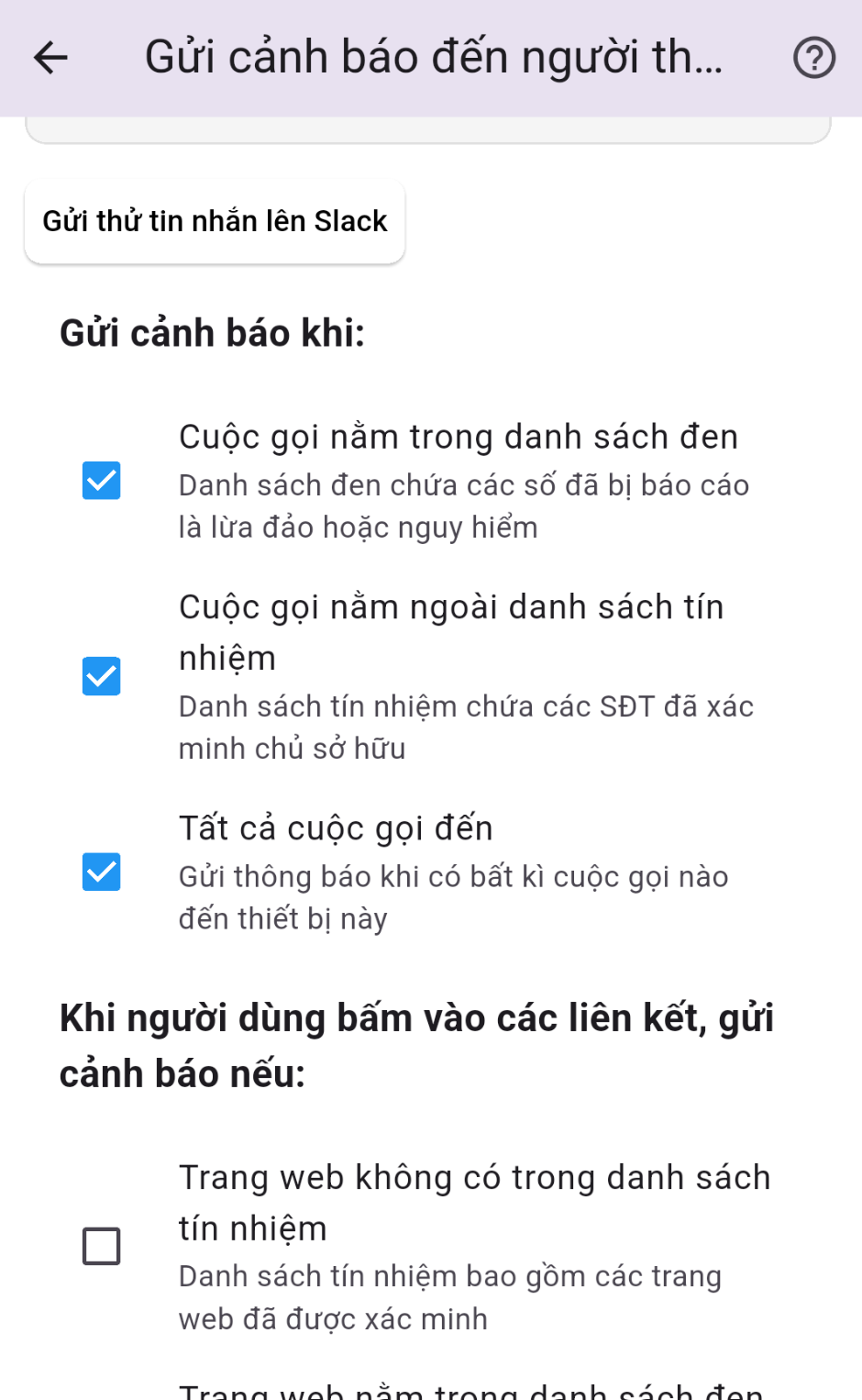
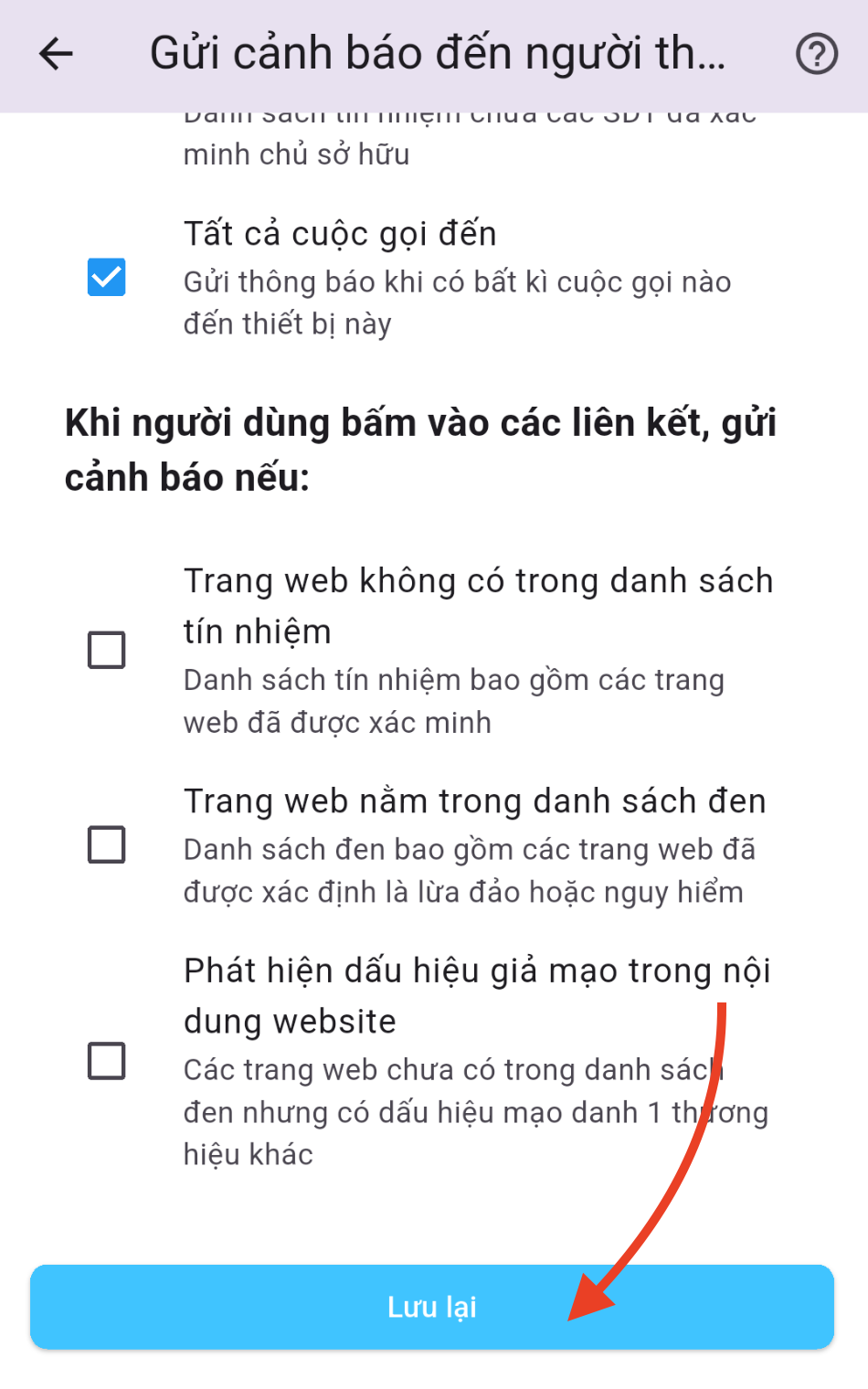
From then on, whenever your family member's phone receives a call from an unknown number, SafePhone posts a notification to your family's Slack channel, so you know what's happening and can act when something looks suspicious.
Call alerts rely on Android's call screening permission, so make sure SafePhone has been granted it.
What to do when you get an alert
- Call your family member back right away once the call ends — or text them if the call is still going.
- Ask who the caller claimed to be and what they wanted. If it's the “police”, the “bank”, or the “electricity company” asking to transfer money, read out an OTP, install an app, or tap a link — it's almost certainly a scam.
- Remind them not to transfer money or share any OTP, and not to follow any instructions until you've checked.
- Verify through official channels: call the bank hotline printed on the back of the card, or go to the relevant agency in person.
- If the number looks suspicious, add it to the block list or consider turning on contacts-only calling.
Setting it up for the whole family
If you're the most tech-savvy person in the family:
- Install SafePhone on your kids' and parents' phones and tablets.
- Turn on alerts on every device and give each one a clear name.
- Install Slack on your own phone and sign in to receive alerts from the channel you created.
Want to know when a family member taps a suspicious link, too? See Alerts when a family member opens a suspicious link. Find more tools for your family in Apps to protect children on phones.
Conclusion
Call blocking weeds out most scam numbers, while alerts make sure you're there at the right moment for the calls that slip through. Set it up once, and you can worry less when you're not with your parents and kids.
Turn on unknown-call alerts for your family
FAQ
Do my parents need Slack on their phone?
No. Your parents' phone only needs SafePhone installed with alerts turned on. You install Slack on your own phone to receive the alerts.
Does SafePhone record my family member's calls?
No. SafePhone doesn't record or access call content. It only processes the incoming phone number to send the alert.
What should I do when I get an unknown-call alert?
Call your family member back right away, ask who the caller claimed to be and what they wanted, remind them not to transfer money or share any OTP, and verify through the official hotline of the bank or agency involved.
Can I also get alerts when a family member opens a suspicious link?
Yes. SafePhone can also send alerts to the same Slack channel when your family member opens a suspicious or blacklisted link.