 SafePhone
Best Call Blocker Apps for Android: Truecaller, Hiya, Calls Blacklist, Should I Answer? and SafePhone Compared
Spam and scam calls keep growing — they're not just annoying, they can cost you money. So what's the best call blocker app on Android? This article compares 5 popular apps — Truecaller, Hiya, Calls Blacklist, Should I Answer? and SafePhone — against the same set of criteria: caller identification, automatic spam blocking, scam-number data, privacy, and cost.
Block unknown and scam numbers automatically with SafePhone

How to choose a call blocker app
- Caller identification: does the app tell you who's calling?
- Automatic spam blocking: does it block junk calls without you lifting a finger?
- Database: is the scam-number data updated often and relevant to the scams you actually receive?
- Security and privacy: what permissions does the app ask for, and does it send your data to its servers?
- Offline use: does it need an Internet connection to block calls?
- Cost and language.
The 5 popular call blocker apps in detail
1. Truecaller
- Pros: excellent at identifying unknown callers thanks to its huge user community; can block spam automatically.
- Cons: Truecaller builds its database of names and numbers largely from its user community and asks for access to your contacts, which has raised plenty of privacy concerns — your name and number may appear on Truecaller even if you've never used the app (Truecaller says it doesn't upload users' entire contact lists to its servers and lets you remove your number from its public directory). The app also needs an Internet connection to look up phone numbers on its servers.
- Cost: free version with ads; paid plans cost about $75/year (Premium) up to $249/year (Gold).
It's arguably the most popular call blocker today, and it's quite effective at identifying and blocking telemarketing and scam calls.
2. Hiya
Hiya has spam call detection, but it focuses more on businesses: it shows business names under phone numbers and helps companies avoid being flagged as spam when they need to call many customers. If you're an individual who just wants a call screening app for yourself, Hiya probably isn't the best fit.
3. Calls Blacklist
- Pros: lets you build your own block list; works without the Internet.
- Cons: no built-in scam-number database — you have to add each number or pattern yourself, so it's hard to keep up with scammers who keep switching numbers.
4. Should I Answer?
- Pros: rates phone numbers based on community reports; can work offline.
- Cons: developed in the Czech Republic, so its database may not closely reflect the scams circulating where you live.
5. SafePhone — a free, offline anti-scam app
- Pros:
- Its scam-number list is compiled from multiple sources, including reports from its user community — see how SafePhone works.
- The blacklist is built into the app, so it works even without the Internet.
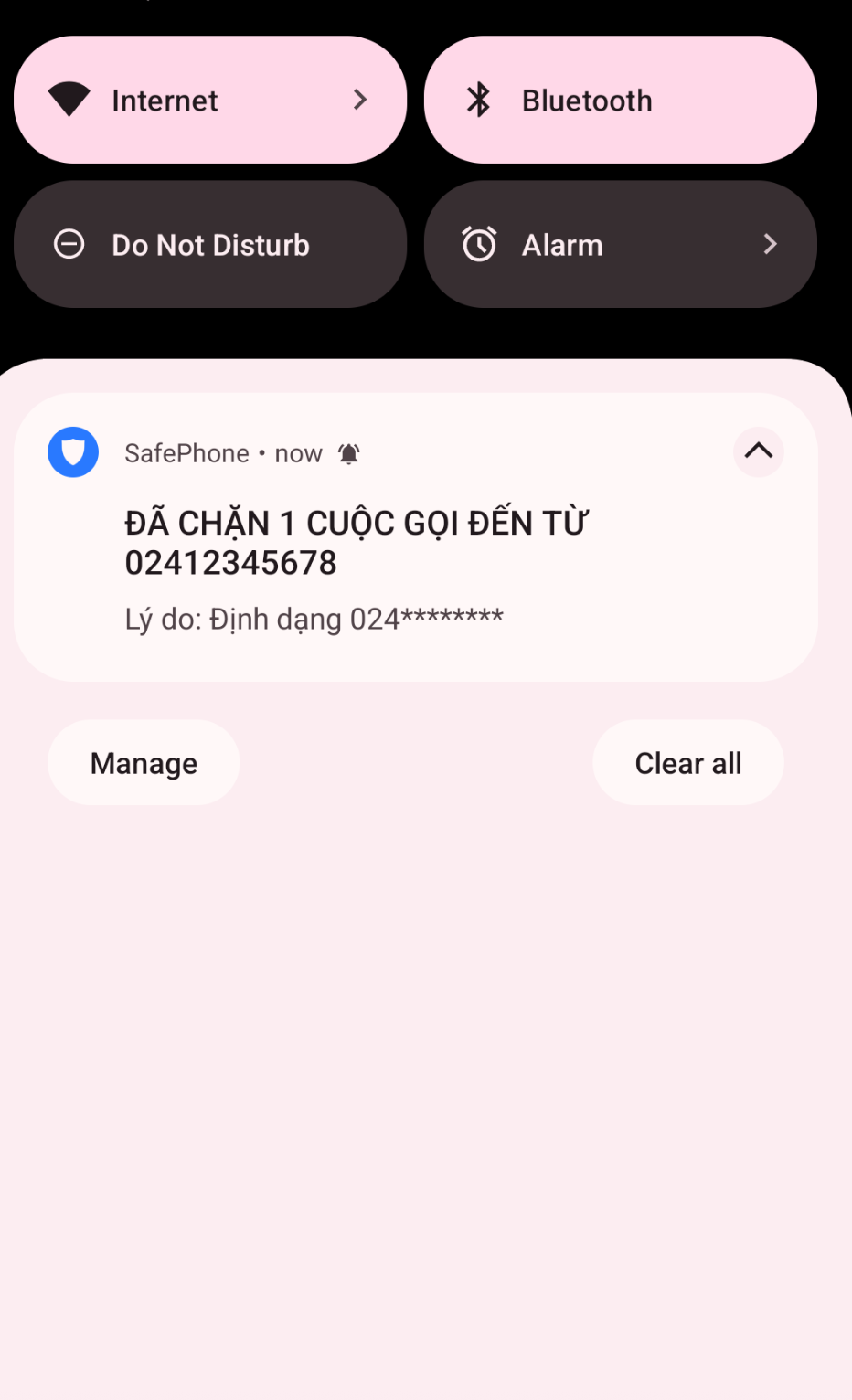
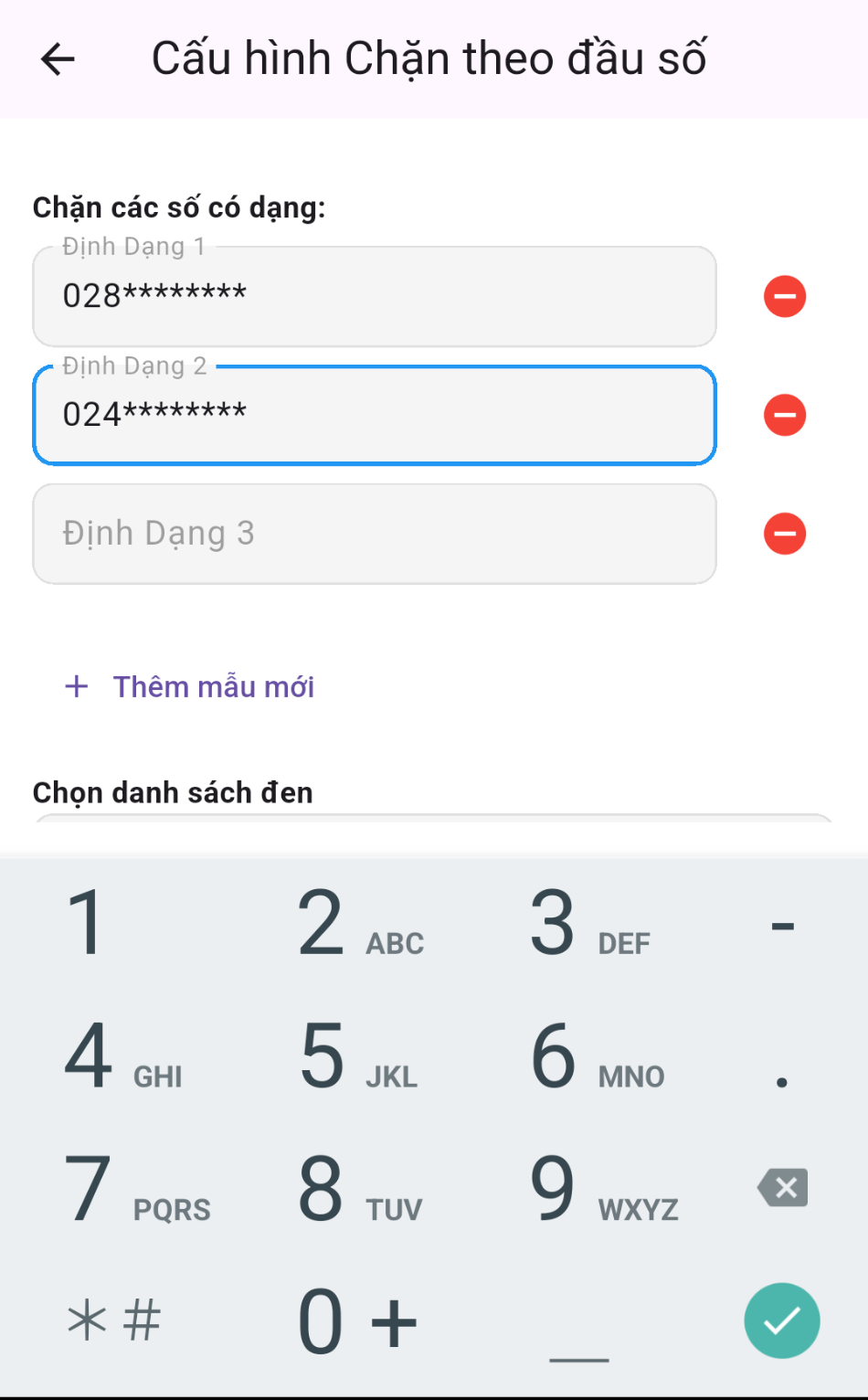
- Lets you create your own block rules by prefix, suffix, or number pattern — see how to block calls by number prefix or pattern.
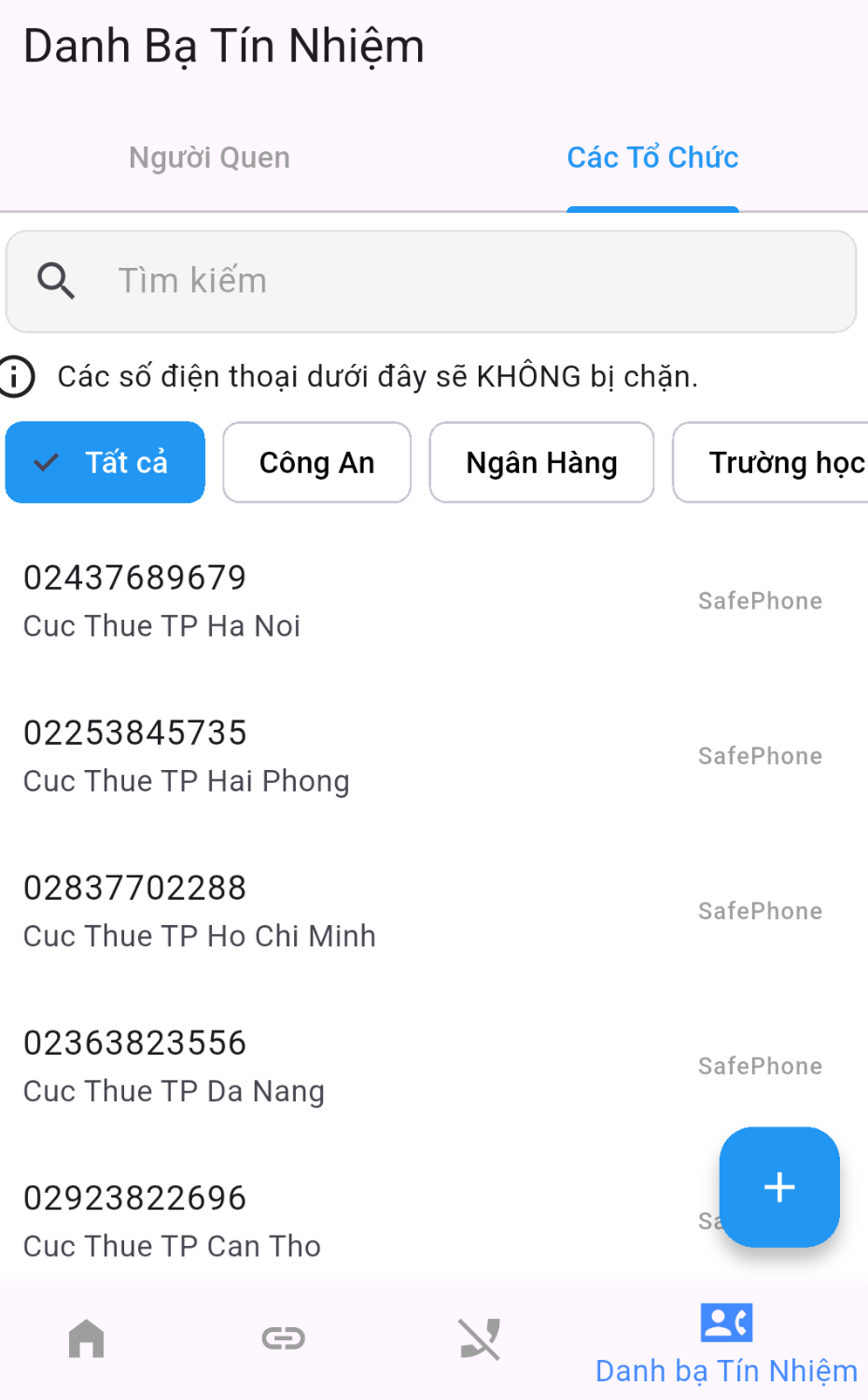
- Offers a mode to block calls from numbers not in contacts, with a built-in trusted list of bank and government agency numbers.
- Blacklist blocking doesn't need access to your contacts; only the contacts-only calling mode needs that permission, to import your saved numbers.
- Beyond call blocking, SafePhone also blocks scam websites, suspicious links, and fake links.
- If you're the most tech-savvy person in your family, SafePhone can alert you when a family member receives a call from an unknown number or taps a suspicious link — see protect your family from scam calls.
- Cons: no iPhone version yet, because iOS doesn't let other apps take over the iPhone's built-in call blocking the way Android does.
- Cost: free.
Call blocker apps: quick comparison table
| App | Caller ID | Automatic blocking | Web/link protection | Needs Internet | Community scam reports | Cost |
|---|---|---|---|---|---|---|
| Truecaller | High | Yes | No | Yes | Yes | Free / paid |
| Hiya | Aimed at businesses; not a great fit for individual users | — | ||||
| Calls Blacklist | Low | Manual | No | No | No | — |
| Should I Answer? | Medium | Yes | No | No | Yes | — |
| SafePhone | High | Yes | Yes | No | Yes | Free |
Which call blocker app should you choose?
| If you… | Choose |
|---|---|
| Want to see caller names, don't mind sharing data, and are always online | Truecaller |
| Want to block scam numbers for free, without needing the Internet | SafePhone |
| Need to protect elderly parents or young children | SafePhone (contacts-only calling + family alerts) |
| Just want to block a few specific numbers | Your phone's built-in number blocking, or Calls Blacklist |
| Are a business that calls lots of customers | Hiya |
Note: Android only lets one app hold the call screening role at a time, so pick one main call blocker instead of installing several. See the call screening permission on Android and iOS.
Blocking calls without an app: Android's built-in features
Before installing an app, you can use the built-in features (menu names may vary by manufacturer and version):
- Block individual numbers: open your call log, long-press the number → Block.
- Block private and unknown numbers: Phone app → Settings → Blocked numbers.
- Filter spam calls: Google's Phone app has a Caller ID & spam setting; Samsung phones have a similar option in call settings.
These features are useful, but they only block numbers you already know or widespread spam, and they have no dedicated scam-number list of their own. For the full walkthrough, see how to block unknown and scam numbers automatically.
Why are call blocker apps limited on iPhone?
On Android, an app granted the call screening permission can check the incoming number before the phone rings and block it using its own rules. iOS restricts this at the system level, so automatic blocking features like SafePhone's can't fully work on iPhone. iPhone users can turn on Silence Unknown Callers under Settings → Phone to send calls from numbers not in their contacts to voicemail.
Beyond calls, remember that scammers also send text messages with links — see how to check if a website is a scam.
Conclusion
Truecaller excels at caller ID but needs the Internet and raises privacy concerns; Hiya targets businesses; Calls Blacklist has no scam database and Should I Answer? relies on community ratings only. If you want a free scam call blocker that works offline, lets you build your own pattern rules, and also protects you from scam links, SafePhone is well worth considering.
Download SafePhone free to block scam calls
FAQ
What is the best call blocker app for Android?
It depends on your needs. Truecaller is strong at showing caller names. SafePhone is free, works without an Internet connection, and has a built-in scam-number list, plus prefix blocking and a contacts-only calling mode.
Is Truecaller safe?
Truecaller is popular and good at identifying unknown numbers, but its database is community-sourced and the app needs access to your contacts, so many people have privacy concerns. You can read Truecaller's policy and request that your number be removed from its public directory.
Can I install several call blocker apps at once?
Android only lets one app hold the call screening role at a time, so installing several apps won't block more calls and can cause conflicts. Pick one main call blocker.
Do call blocker apps work without an Internet connection?
It depends on the app. Truecaller needs the Internet to look up numbers. SafePhone, Calls Blacklist, and Should I Answer? can block calls without an Internet connection.
Is there an iPhone version of SafePhone?
Not yet. iOS doesn't let other apps take over the built-in call blocking the way Android does, so SafePhone is currently available on Android only.